1. Introduction
2. What is nidl?
nidl is a Python library to perform distributed training and evaluation
of deep learning models on large-scale neuroimaging data (anatomical
volumes and surfaces, fMRI).
It follows the PyTorch design for the training logic and the scikit-learn API for the models (in particular fit, predict and transform).
Supervised, self-supervised and unsupervised models are available (with pre-trained weights) along with open datasets.
Note
It is ok if these terms don’t make sense to you yet: this guide will walk you through them in a comprehensive manner.
3. Using nidl for the first time
nidl is a Python library. If you have never used Python before,
you should probably have a look at a general introduction about Python
as well as to Scientific Python Lectures before diving into nidl.
3.1. First steps with nidl
At this stage, you should have installed nidl and
opened a Jupyter notebook or an IPython / Python session. First, load
nidl with
import nidl
nidl comes in with some data that are commonly used in neuroimaging.
3.2. Learning with the API references
In the last commands, you just made use of nidl modules.
All modules are described in the API references.
Oftentimes, if you are already familiar with the problems and vocabulary of
MRI analysis, the module and function names are explicit enough that you
should understand what nidl does.
3.3. Learning with examples
nidl comes with a lot of examples.
Going through them should give you a precise overview of what you can achieve
with this package.
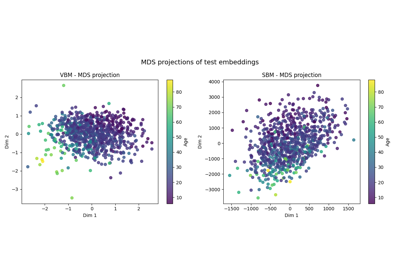
For new-comers, we recommend going through the following examples in the suggested order:
3.4. Finding help
On top of this guide, there is a lot of content available outside of nidl
that could be of interest to new-comers:
Introduction to Human Neuroimaging by Hans Op de Beeck and Chie Nakatani.
PyTorch tutorials are a great resource to learn about deep learning and PyTorch.
Pytorch-Lightning tutorials are a great resource to learn about PyTorch-Lightning, the high-level framework used in
nidlto handle the training and evaluation loops.(For Python beginners) A quick and gentle introduction to scientific computing with Python with the scientific Python lectures. Moreover, you can use
nidlwith Jupyter notebooks or IPython sessions. They provide an interactive environment that greatly facilitates debugging and visualization.
Besides, you can find help on neurostars for questions
related to nidl and to computational neuroscience in general.
We can also be reached on github in case you find a bug.
4. Applications to Neuroimaging
nidl brings easy-to-use deep learning tools that can be leveraged to
solve more complex applications.
The interested reader can dive into the following articles for more content.
We give a non-exhaustive list of such important applications.
Diagnosis and prognosis
Predicting a clinical score or even treatment response from brain imaging with supervised learning e.g. Wen et al.[1].
Transfer learning
Measuring how much an estimator pre-trained on a pretext task (e.g. self-supervised learning) can be fine-tuned to solve a clinical task like predicting a clinical score or a mental condition Dufumier et al.[2].
Data mining / exploration
Data-driven exploration of brain images. This includes the extraction of the major brain networks from resting-state data (“resting-state networks”) or movie-watching data as well as the discovery of connectionally coherent functional modules (“connectivity-based parcellation”).